
BLOG • ON-PAGE SEO
On-Page SEO Checklist 2026 (With a Free Template)
Most pages fail for simple reasons. The title is vague. The headings jump around. The images slow the page down.

None of those problems needs an expert to fix. You need one clear list, used the same way every time. This guide gives you that list in priority order.
It also gives you a free template at the end. Copy it into your own doc today. Then run it before every page goes live.
Quick answer: Work through six groups in order: intent, titles, headings, media, links, and speed. Fix the title tag and search intent first. They shape rankings and clicks more than any small tweak. Most pages take about thirty minutes to check.
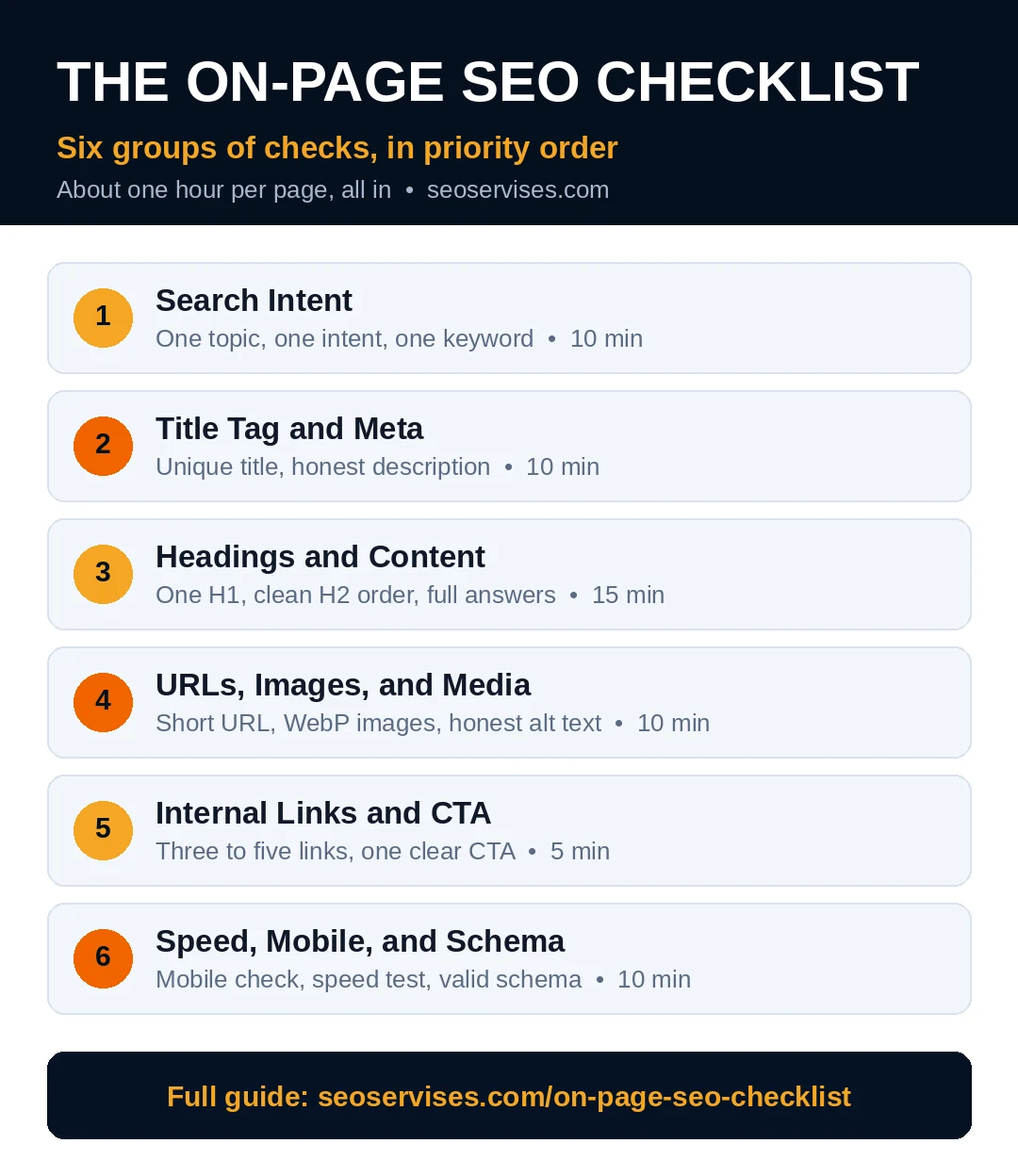
The six groups at a glance:
- Search intent and one keyword per page
- Title tag and meta description
- Headings and content structure
- URLs, images, and media
- Internal links and calls to action
- Speed, mobile, and schema checks
Table 1: The Checklist at a Glance
| Group | Main checks | Time per page |
|---|---|---|
| Intent and keyword | One topic, one intent, one keyword | 10 minutes |
| Title and meta | Unique title, clear description, no stuffing | 10 minutes |
| Headings and content | One H1, clean H2 order, full answers | 15 minutes |
| Media | Short URL, WebP images, honest alt text | 10 minutes |
| Links and CTA | Three to five internal links, one clear CTA | 5 minutes |
| Speed and schema | Mobile check, speed test, valid schema | 10 minutes |
Group 1: Start With Search Intent
Every ranking starts with the searcher. Google shows pages that match what people want. A page can have perfect tags and still fail. It fails when it answers the wrong question.
Open Google and search your target term first. Read the top five results carefully. Note the format they share. Most results may be guides, tools, or product pages.
Match that format before you write a word. A guide query needs a guide page. A buying query needs a clear sales page. Fighting the dominant format wastes your effort.
Next, assign one primary keyword to the page. Write it at the top of your draft. Every page on your site needs its own term. Two pages with one term will compete.
Our team sees this mistake on most small sites. A plumber in Dallas had three pages for one term. None ranked inside the top twenty. One merged page reached page one in eight weeks.
Pick related terms for support, not for stuffing. Related terms appear when you cover the topic well. Google reads context, not just exact repeats.
This checklist pairs well with our step-by-step WordPress SEO checklist for WordPress sites. Use that guide for site setup work.
Group 2: Write the Title Tag and Meta Description
Your title tag is your headline in Google results. It tells Google what the page covers. It also earns or loses the click. Treat it like ad copy with a strict limit.
Put your main topic near the start. Keep the full title under sixty characters. Make each title on your site unique. Duplicate titles confuse Google and waste your best signal.
Add one clear reason to click. A number, a year, or a clear benefit works. Avoid hype words you cannot back up. Readers spot empty claims in one second.
How long should a title tag be?
Aim for fifty to sixty characters in total. Google cuts longer titles in search results. Put the key words early, before any cut point. Add your brand name at the end only. Skip it when space runs short. One clear promise beats a crowded title every time.
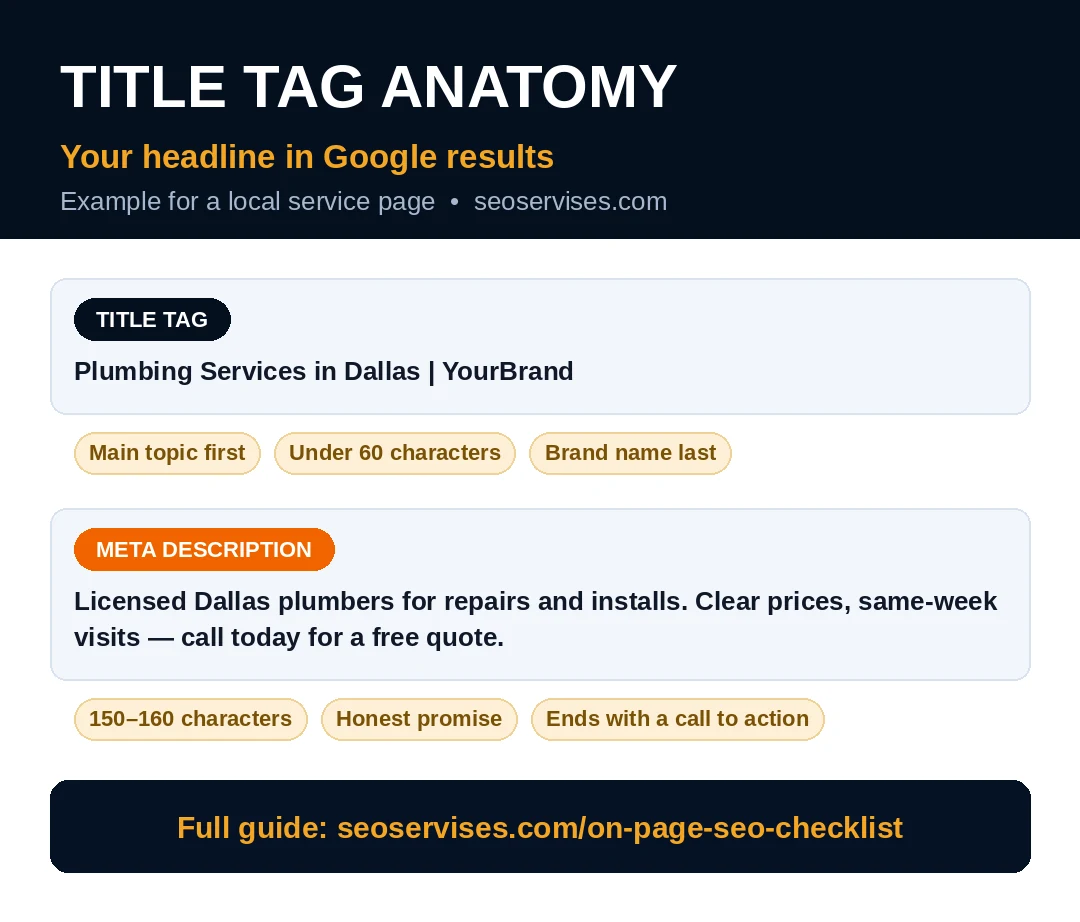
Write the meta description next. Keep it between 150 and 160 characters. Describe the page in plain, honest words. End with a small call to action.
Does meta description affect rankings?
No, Google does not rank pages by their description. It still shapes your click rate strongly. A clear description can lift clicks at the same rank. Google may rewrite weak or missing descriptions. Write a good one and it often stays. Think of it as free ad text.
Never copy one description across many pages. Each page sells a different promise. Write each one by hand in two minutes. Your click rate will thank you later.
Group 3: Fix Headings and Content Structure
Headings give your page a clear skeleton. Readers skim them before they read. Google uses them to map your topics. A messy order hurts both audiences at once.
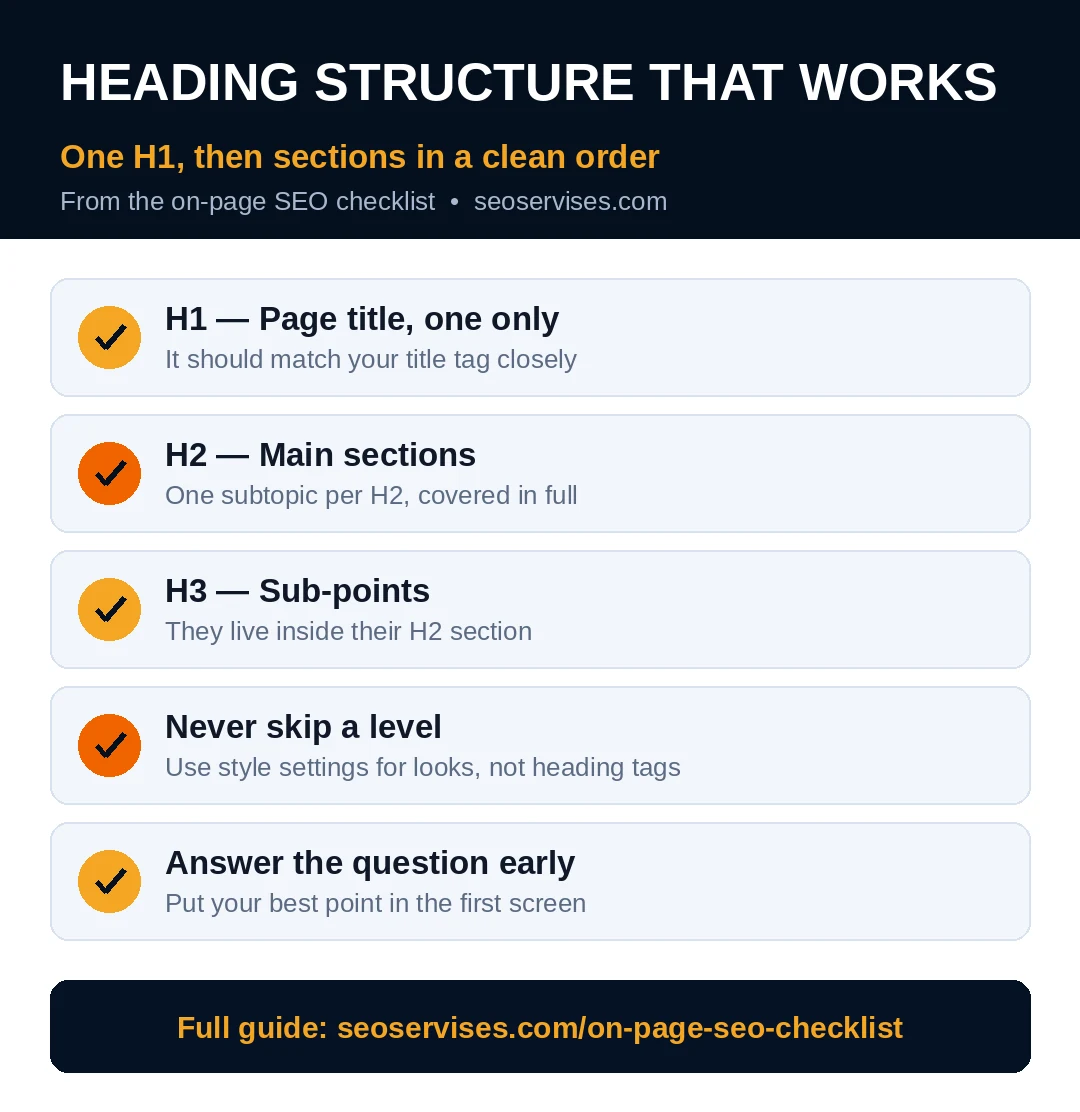
Use one H1 heading per page. That H1 is your page title in the body. It should match your title tag closely. Small wording changes are fine and natural.
Break the body into H2 sections. Each H2 covers one subtopic in full. Use H3 headings inside longer sections. Never skip levels just for bigger fonts. Use style settings for looks, not heading tags.
What is the most important on-page SEO element?
Content that matches search intent matters most overall. Among the tags, the title tag carries most weight. It states your topic and drives the click. No tag can save a page with wrong intent. Confirm the intent first, then polish the tags. That order wins rankings far more often.
Write short paragraphs of two or three sentences. Short blocks read well on phones. Most of your visitors read on phones. Long walls of text push them away fast.
Answer the main question early in the page. Put your best point in the first screen. Readers decide fast whether to stay. AI search tools also lift early, clear answers. A short summary box helps both audiences.
Cover the topic fully, then stop. Thin pages rarely rank for hard terms. Padded pages bore readers and raise exits. Depth means full answers, not extra filler words. Cut any section that repeats an earlier point.
Add proof where you make a claim. Use a real number, a date, or an example. A bakery in Ohio added real prep times to pages. Calls from Google rose within two months. Proof builds trust with readers and Google alike.
Group 4: Clean Up URLs, Images, and Media
Your URL should read like a short label. Keep it lowercase with hyphens between words. Include your main topic when it fits. Drop dates, codes, and filler words.
Never change a live URL without a redirect. Old links and bookmarks point to that address. A missing redirect turns them into dead ends. One redirect line protects years of work.
Images need the same care as text. Rename files before you upload them. Use short names that describe the picture. A name like team-van-denver.jpg tells Google plenty. Camera names like IMG_4021.jpg tell it nothing.
Convert images to WebP before uploading. WebP files load faster than JPEG files. Keep each image under 100 KB when possible. Large photos are the top cause of slow pages.
Write honest alt text for every image. Describe what the image actually shows. Add a keyword only when it fits well. Alt text also helps visitors using screen readers. Skip alt text on pure decoration images.
Resize images to the size shown on page. Big files shrunk by settings still download fully. That waste slows your load time directly. Your LCP score suffers for no reason.
Group 5: Add Internal Links and One Clear CTA
Internal links connect your pages into one site. They guide readers to the next helpful step. They also show Google which pages matter most. Every new page needs links in and out.
Add three to five internal links per post. Link to your main service page first. Then link to two related guides. Finish with one link toward contact or booking.
Write anchor text that describes the destination. Vary the wording from page to page. Identical anchors everywhere look forced and spammy. Natural anchors help readers choose with confidence.
A strong internal linking strategy turns single posts into clusters. Clusters build topical depth Google can trust. They also keep readers on your site longer. Plan clusters before you publish, not after.
How many internal links should I include per article?
Most articles work well with three to five links. Use one link for every 300 to 400 words. Link only where the next page truly helps. Ten forced links annoy readers and dilute value. Update older posts to link to new ones too. Both directions matter for full effect.
End each page with one clear action. Ask for a call, a quote, or a booking. Two competing asks split attention and clicks. One strong button beats three weak links. Place it after your main content ends.
Group 6: Check Speed, Mobile, and Schema
Open the page on your own phone. Read it like a new visitor would. Text should load fast and stay readable. Buttons should be easy to tap. Forms should work without zooming or pinching.
Run the page through PageSpeed Insights. Fix the red items before the orange ones. Images and heavy scripts cause most failures. Retest after each fix, not after ten. Small steps show you what worked.
Check your Core Web Vitals targets too. LCP should stay under 2.5 seconds. INP should stay under 200 milliseconds. CLS should stay under 0.1 for stability. These targets match the good range in Search Console.
Add schema markup that fits the page. Use Article schema for blog posts. Use FAQ schema for question sections. Use LocalBusiness schema for your main business pages. Google explains schema basics in its structured data guide. Validate your markup with the Rich Results Test.
Our on-page optimization service runs these checks weekly for clients. The routine is simple but easy to skip. A written list keeps every page consistent. That is why the template below matters.
Your Free Template: Copy and Use It Today
Copy this block into Google Docs or Notion. Duplicate it for every new page. Tick each line before you press publish. The whole run takes about thirty minutes.
Page setup
- One primary keyword written at the top
- Search intent checked against top five results
- Page format matches the dominant result type
Title and meta
- Title tag under 60 characters, keyword early
- Title is unique across the whole site
- Meta description between 150 and 160 characters
- Description ends with one clear call to action
Headings and content
- One H1 that matches the page promise
- H2 sections in a logical, complete order
- Main question answered in the first screen
- Short paragraphs, no repeated points
- One proof point for every major claim
URL and media
- Short URL slug with hyphens, no dates
- All images in WebP, each under 100 KB
- File names describe the image clearly
- Honest alt text on every content image
Links and action
- Three to five internal links added
- One link points to the main service page
- Anchor text is natural and varied
- One clear CTA button ends the page
Final checks
- Page tested on a real phone
- PageSpeed test run, red items fixed
- Schema added and validated with no errors
- Old posts updated with links to this page
Table 2: Common Mistakes and Fast Fixes
| Mistake | Why it hurts | Fast fix |
|---|---|---|
| Same title on many pages | Google cannot tell pages apart | Write one unique title per page |
| Keyword stuffed into every heading | Reads badly and looks spammy | Use the term in one or two headings |
| Huge uncompressed images | Slow loads and poor LCP scores | Convert to WebP and resize first |
| No internal links on new posts | Page gets no support from the site | Add three links before publishing |
| Two pages for one keyword | Pages compete and both rank lower | Merge them or split their intent |
How Long Until Changes Show Results?
Small fixes can show movement within days. Google must recrawl the page first. High-traffic pages get recrawled more often. Quiet pages may wait two or three weeks.
How long does it take for on page changes to show results?
Most small sites see clear movement in two to six weeks. Title and meta fixes can lift clicks sooner. Content and link fixes often need one full recrawl cycle. Competition and crawl rate set your real timeline. Track results in Search Console, not by daily checks. Judge a change after four full weeks.
Keep a simple change log for each page. Note the date and what you changed. Review impressions and clicks after one month.
Score your last published page with the template. Under fifteen ticks means the page needs another pass. Above twenty means your routine is working well.
Ready to Hand This Work to a Team?
This list will carry a small site far. It still takes focus on every page. Most owners run out of time by page ten.
Our team runs this exact routine for clients daily. We check titles, content, links, and speed together. You get pages that ship right the first time.
Contact us for a free review of your top pages. We will score them against this same template. You keep the score sheet either way.
Frequently Asked Questions
What is on-page SEO?
On-page SEO covers every fix you make on a page. It includes titles, headings, content, images, and links. You control all of it directly. Off-page SEO covers signals from other sites. Strong pages need both kinds of work over time.
How many keywords should I use per page?
Target one primary keyword on each page. Add three to five related terms for support. Use them where they fit in natural sentences. More targets split the focus of the page. One clear topic ranks better than five weak ones.
Does heading structure affect SEO?
Yes, clear headings help Google map your content. They also help readers skim and stay longer. Use one H1, then H2 sections in order. Add H3 headings inside longer sections only. Skipped levels make the outline hard to follow.
Is schema markup required for SEO?
No, schema is not required to rank well. It still helps Google read your page correctly. It can earn rich results like FAQ dropdowns. Those results take more space and win clicks. Add it where it fits, and validate it.
How often should I refresh content?
Review your key pages every three months. Update old stats, prices, and screenshots each time. Add answers to new questions customers ask. Remove advice that tools or rules made outdated. Small steady updates beat rare full rewrites.