
BLOG • TECHNICAL SEO
Technical SEO Audit Checklist: 30+ Checks Explained
Your site can look perfect and still hide problems. Google may fail to crawl key pages. Redirects may loop without any visible warning. Visitors never see these hidden faults at all.

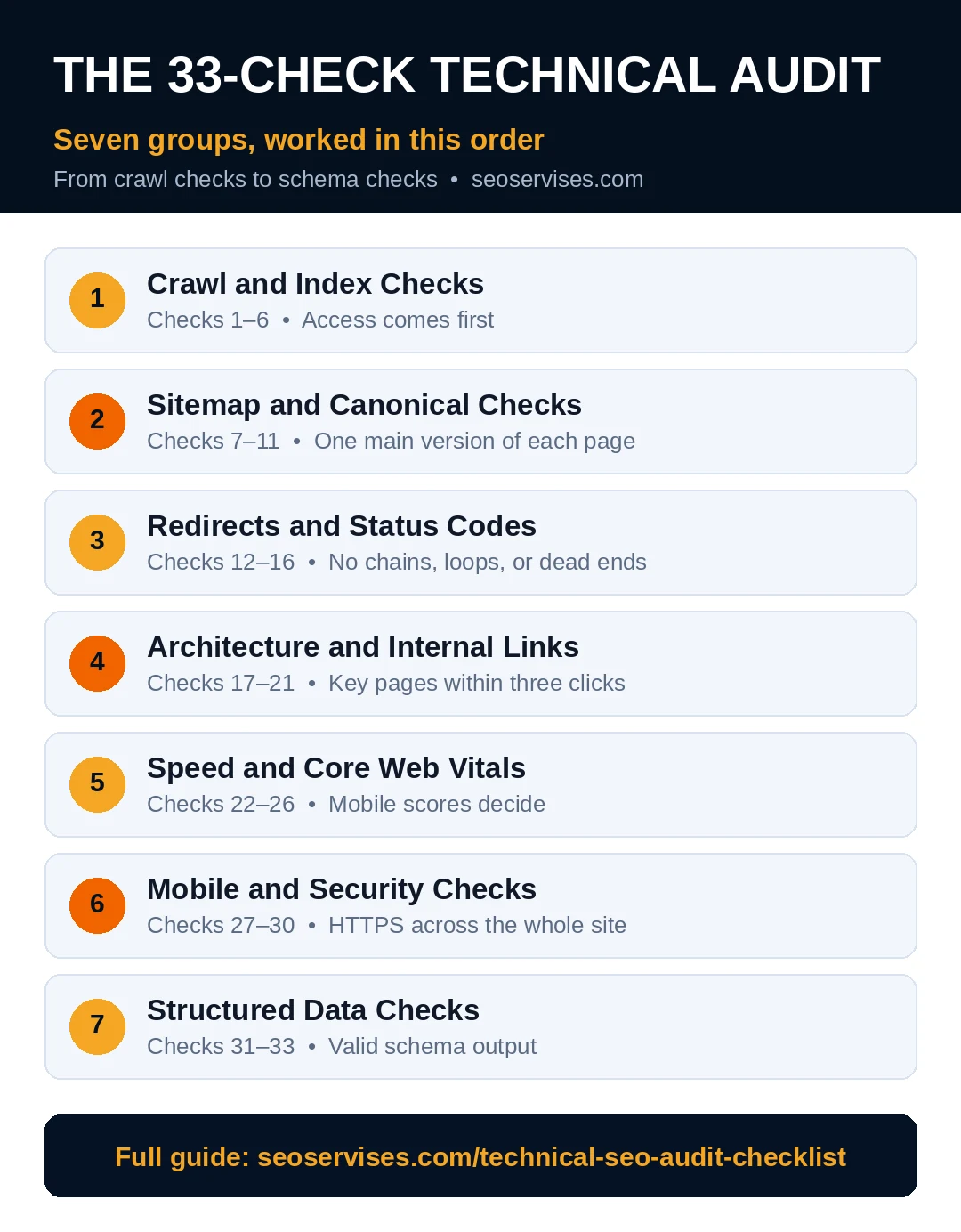
An audit finds those faults in a set order. This guide groups thirty-three checks into seven areas. Each check states what to test and fix. Work from the top group downward. Early groups protect every later fix.
Quick answer: A good technical seo audit checklist starts with crawl access. Then it covers sitemaps, canonicals, redirects, and links. Speed, mobile, security, and schema come after that. Most small sites finish a first pass in one day.
Audit order and time guide:
| Group | Checks | Typical time |
|---|---|---|
| Crawl and index | 1 to 6 | 45 minutes |
| Sitemap and canonicals | 7 to 11 | 30 minutes |
| Redirects and status codes | 12 to 16 | 40 minutes |
| Architecture and links | 17 to 21 | 45 minutes |
| Speed and Core Web Vitals | 22 to 26 | 60 minutes |
| Mobile and security | 27 to 30 | 30 minutes |
| Structured data | 31 to 33 | 30 minutes |
Set Up Your Tools Before You Start
Four free tools cover almost every check below. Open each one before you touch any setting. Tool setup takes about twenty minutes total.
Google Search Console shows Google’s own view free. It reports indexing, speed groups, and manual actions. Verify your site there if you never have. Ownership proof takes only a few minutes.
Screaming Frog crawls your site like a search bot. The free version handles 500 URLs without charge. Download it before your audit day begins. Small business sites fit that limit easily.
PageSpeed Insights tests one page at a time. It shows field data and lab diagnostics together. Bookmark it for the speed group checks later. The Rich Results Test validates schema in seconds. Keep both Google tools open in tabs.
Make one shared sheet for your findings today. Add columns for check, page, result, and fix. Note the date beside every single entry. Dates prove what changed when rankings move later. A clean record turns audits into routine work.
Group 1: Crawl and Index Checks (1–6)
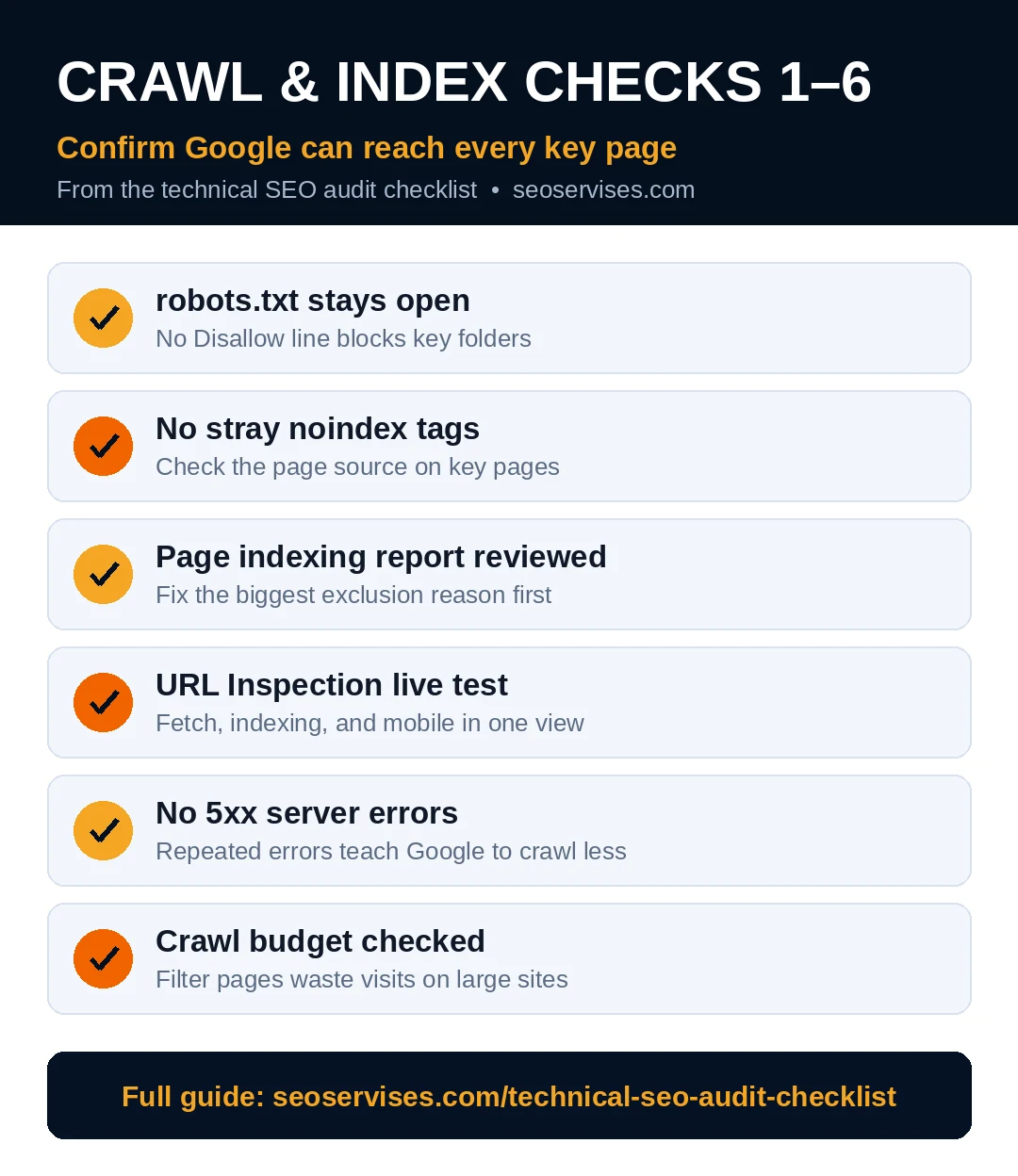
Google must reach a page before ranking it. These six checks confirm that basic access works.
Check 1. Open your robots.txt file in a browser. Its address is yourdomain.com/robots.txt on most sites. Confirm it never blocks key folders. One wrong Disallow line can hide products.
Check 2. Search your key pages for a noindex tag. View the page source in your browser. A noindex tag tells Google to skip storage. Remove it from every page you want ranked.
Check 3. Open the Page indexing report in Search Console. Note the main reasons pages stay excluded. Fix the reason that affects most URLs first.
Check 4. Test one key page with URL Inspection. Run the live test inside that tool. It shows fetch, indexing, and mobile results together.
Check 5. Confirm your server returns pages without 5xx errors. Repeated server errors teach Google to crawl less. Ask your host about errors you cannot explain.
Check 6. Check crawl stats for wasted budget monthly. Large catalogs often waste visits on filter pages. Small sites can skim this check each quarter.
What is crawl budget?
Crawl budget is the visit limit Google sets. Googlebot will only fetch so many pages daily. Big sites must guide those visits carefully. Filter and search pages waste that budget fast. Small sites rarely hit the limit at all. Clean sitemaps and links protect any budget.
Group 2: Sitemap and Canonical Checks (7–11)
Your sitemap lists pages you want indexed. Canonical tags name the main version of duplicates.
Check 7. Open your sitemap and scan its contents. It should list live, indexable pages only. Remove redirects, errors, and noindex pages from it.
Check 8. Submit the sitemap inside Google Search Console. Confirm the status reads Success after submission. Resubmit only after major site changes occur.
Check 9. Verify each key page has a canonical tag. The tag should point to itself normally. Wrong canonicals send ranking signals elsewhere quietly.
Check 10. Find duplicate versions of your homepage. Test www, non-www, HTTP, and HTTPS variants. All variants should redirect to one address.
Check 11. Review tag and filter pages for duplicates. Many stores create near-identical pages by accident. Canonical or remove the weakest copies there.
Group 3: Redirects and Status Code Checks (12–16)
Redirects move visitors and signals to new addresses. Broken chains waste both signals and patience.
Check 12. Crawl your site with Screaming Frog free version. Export every page returning a 404 error. Fix, redirect, or restore each broken page.
Check 13. Find redirect chains longer than two hops. Each extra hop slows the final page. Point every old link straight at the target.
Check 14. Hunt for redirect loops across your site. Loops trap visitors and crawlers in circles. Your crawl report flags them clearly.
Check 15. Confirm moved pages use 301 redirects. Temporary 302 redirects fit short campaigns only. Permanent moves deserve permanent redirect signals.
Check 16. Check pages that earn external links. A linked page returning 404 wastes real authority. Redirect it to the closest matching page.
What is the difference between a 301 and a 302 redirect?
A 301 redirect marks a permanent move. It passes most ranking signals to the new page. A 302 redirect marks a temporary move instead. It keeps signals with the original page. Use 301 for deleted or renamed pages. Use 302 only for short tests.
Group 4: Architecture and Internal Link Checks (17–21)
Structure decides how fast crawlers find value. Flat, linked structures beat deep hidden ones.
Check 17. Measure click depth for key pages. Every key page should sit within three clicks. Count from your homepage each time.
Check 18. Find orphan pages with zero internal links. Orphans often stay unindexed for months. Link each orphan from a related page.
Check 19. Scan anchors for vague words like “here.” Descriptive anchors tell Google the topic ahead. Rewrite vague anchors on key links first.
Check 20. Remove internal links pointing at 404 pages. Your crawl report lists these broken links. Update each link to the live address.
Check 21. Check that URLs stay lowercase with hyphens. Mixed-case URLs can create duplicate versions. Keep one clean format across the site.
Group 5: Speed and Core Web Vitals Checks (22–26)
Slow pages lose visitors before content loads. Google tracks that pain through three scores.
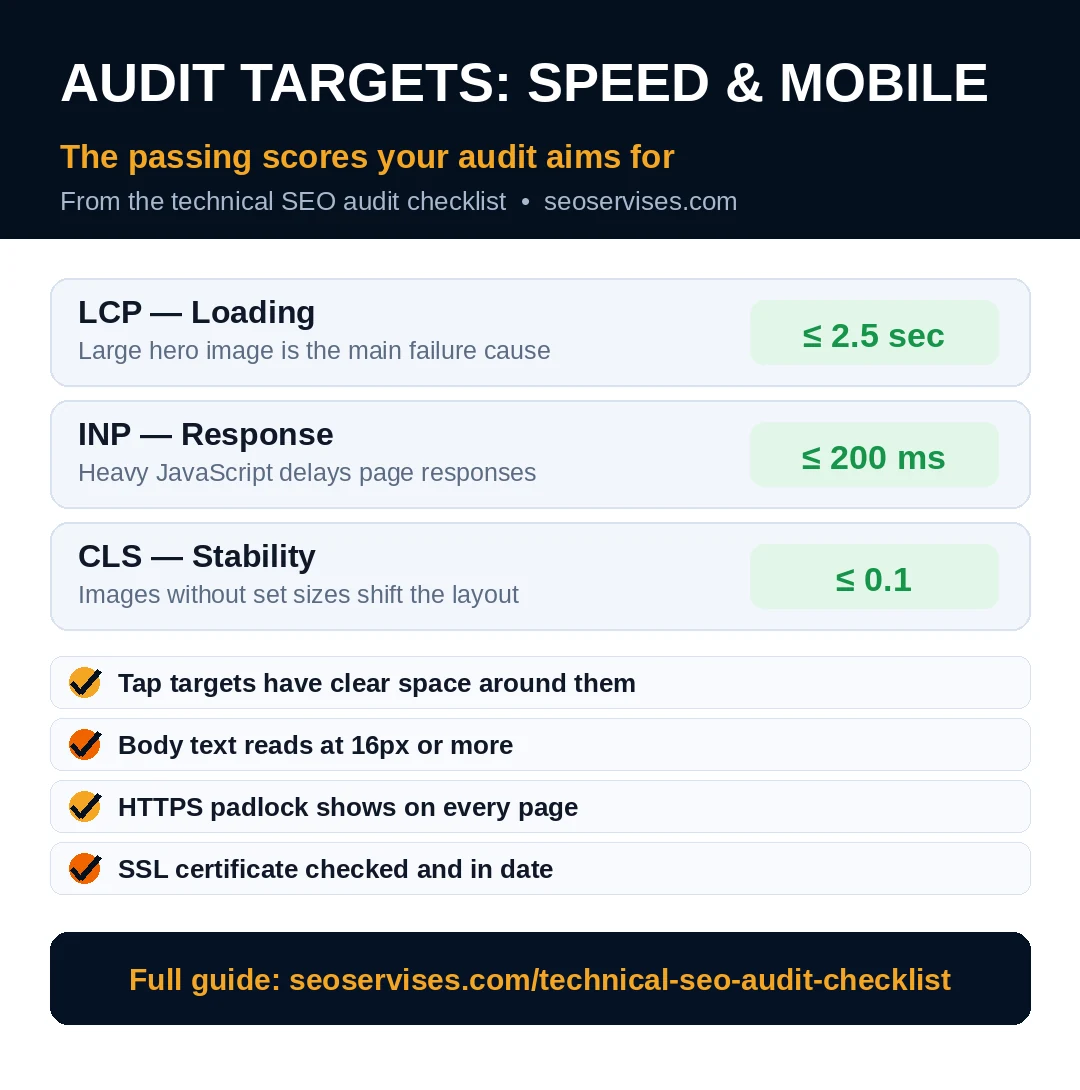
Check 22. Run PageSpeed Insights on your homepage first. Record the mobile LCP, INP, and CLS scores. Mobile scores decide your pass or fail.
Check 23. Confirm LCP stays at 2.5 seconds or less. Large hero photos cause most LCP failures. Compress and preload the hero image first.
Check 24. Confirm INP stays at 200 milliseconds or less. Heavy scripts and chat widgets delay responses. Remove or defer scripts you rarely need.
Check 25. Confirm CLS stays at 0.1 or less. Missing image sizes cause most layout shifts. Set width and height on every image.
Check 26. Review field data inside Search Console monthly. Field data reflects real visitor devices and networks. Lab scores help debugging but never decide passing.
Table 2: Scores That Count as Passing
| Metric | Passing score | Main cause of failure |
|---|---|---|
| LCP | 2.5 seconds or less | Large hero image |
| INP | 200 milliseconds or less | Heavy JavaScript |
| CLS | 0.1 or less | Images without set sizes |
Speed fixes often need deeper work than checks. Our walkthrough on how to speed up your WordPress site covers them. Work through it after this audit list. It pairs well with checks 22 to 26.
Group 6: Mobile and Security Checks (27–30)
Google indexes the mobile version of your site. Security faults erode trust with visitors and Google.
Check 27. Open your site on a real phone. Tap every menu item and button. Buttons need clear space around each target.
Check 28. Confirm text reads easily without zooming. Body text should sit at 16 pixels or more. Tiny text pushes mobile visitors away fast.
Check 29. Confirm HTTPS works across the whole site. Every page should load with the padlock showing. Fix mixed content warnings in your crawl report.
Check 30. Check your SSL certificate expiry date today. Expired certificates block visitors with scary warnings. Most hosts renew free certificates automatically.
Why is HTTPS a ranking factor?
HTTPS encrypts data between visitors and your site. That encryption protects passwords, forms, and payments. Google rewards safer browsing with a small boost. Browsers also warn users on unsecured pages. Those warnings scare buyers away before contact. Secure pages build trust on every visit.
Group 7: Structured Data Checks (31–33)
Schema labels your content in code Google reads. Labels can earn richer search listings for pages.
Check 31. Confirm blog posts carry Article schema markup. Include the author name and publish date. Accurate dates help Google judge content freshness.
Check 32. Add FAQ schema only to visible question sections. Schema text must match the page text exactly. Hidden schema risks losing the rich result.
Check 33. Validate one page in the Rich Results Test. Fix every error the tool reports there. Google publishes the rules in Search Central documentation for reference.
How often should I perform a technical SEO audit?
Run a full audit once every quarter. Check indexing and speed reports monthly between audits. Audit again right after any redesign or migration. Small fixes caught early stay cheap. Quarterly rhythm suits most small business sites. Larger stores may need monthly full audits.
Do I need to be a coder to do technical SEO?
No, most audit checks need no coding skills. Search Console and crawlers surface the problems plainly. Plugins handle sitemaps, redirects, and schema setup. Coding helps only for deep speed work. Many owners fix groups one to four alone. They hire help for stubborn speed faults.
How to Record and Prioritize Fixes
Write each fault in a simple shared sheet. Add the page, the fault, and the fix. Mark impact as high, medium, or low. Fix high-impact faults on key pages first.
Retest each fix right after you ship it. A redirect fix needs one fresh crawl. A speed fix needs one fresh test. Never batch ten fixes before retesting once. Batching hides which change caused new problems.
Some faults point at server or code limits. Our technical SEO services team handles those daily. Indexing faults deserve special care during any audit. Our diagnosis guide explains pages that stay missing from the Google index in depth. Read it when check three shows many exclusions.
Ready to Audit With Backup?
You now hold a full audit path. Start at group one this week. Thirty minutes per group keeps momentum strong.
Prefer an expert pair of eyes instead? Contact us for a clear audit summary. We list faults, fixes, and order plainly. You keep the final call on every fix.
Frequently Asked Questions
What should a technical SEO audit checklist include?
It should cover crawling, indexing, and sitemaps first. It should also cover canonicals, redirects, and links. Speed, mobile, security, and schema complete the list. Each check needs a test and a fix. Priority order matters as much as coverage.
How do you conduct a technical SEO audit step by step?
Start with Search Console reports for a baseline. Crawl the site to list every fault. Group faults by area and page value. Fix access problems before speed problems. Retest each fix, then record the result.
Which tools are best for a technical SEO audit?
Search Console gives Google’s own indexing truth free. Screaming Frog crawls small sites free up to 500 URLs. PageSpeed Insights covers speed and vitals scores. The Rich Results Test validates schema markup. Most small audits need only these four.
Is site speed more important than content?
No, content still decides what a page deserves. Speed decides whether visitors stay to read it. A slow page wastes strong content quickly. A fast page cannot rescue thin content either. Fix access first, then speed, then depth.
Can I hide pages from Google on purpose?
Yes, some pages should stay out of search. Use noindex for thin or private pages. Use robots.txt only to block crawling paths. Never block a page you want removed quickly. Google cannot see noindex on blocked pages.