
BLOG • LOCAL SEO
Local SEO Checklist for Small Businesses (2026)
Nearby customers search with clear buying intent. They type a service, a city, or “near me.” Then they call one of the top three map results. If your business sits outside that box, you lose the job.

This guide puts the fixes in priority order. Start with your Google profile. Then fix citations, reviews, and local pages. It matches the work inside our local search services for growing businesses.
Quick answer: This local seo checklist has nine steps in priority order. Claim and verify your Google Business Profile first. Fix your name, address, and phone everywhere. Then earn steady reviews and build strong local pages. Most owners finish the core work in one week.
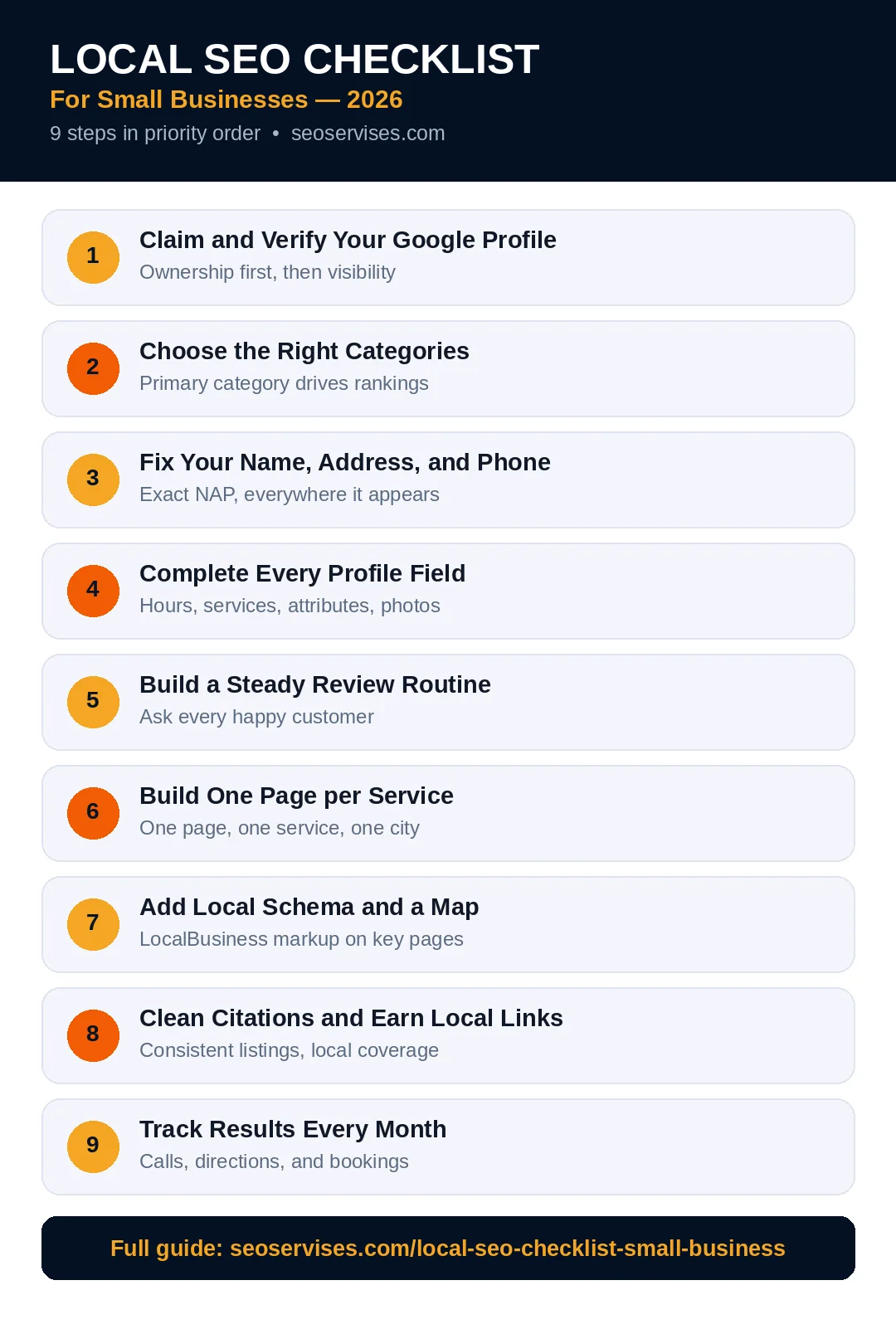
The nine steps at a glance:
- Claim and verify your Google Business Profile
- Pick the right profile categories
- Fix name, address, and phone everywhere
- Add photos, services, and hours
- Build a steady review routine
- Create one page per core service
- Add local schema and map embeds
- Build citations and local links
- Track calls, rankings, and leads monthly
Table 1: The Priority Checklist
Work from the top of this table downward. Early tasks decide whether customers can find you at all.
| Task | Impact | Time needed |
|---|---|---|
| Claim and verify Google profile | High | 30 minutes |
| Choose correct primary category | High | 15 minutes |
| Fix name, address, and phone data | High | 2 hours |
| Add services, hours, and photos | High | 1 hour |
| Start a weekly review routine | High | 20 minutes |
| Build one page per service | Medium | 2 hours per page |
| Add LocalBusiness schema | Medium | 30 minutes |
| Clean top twenty citations | Medium | 3 hours |
| Set up monthly tracking | Medium | 30 minutes |
Step 1: Claim and Verify Your Google Profile
Your Google Business Profile powers Maps and local search results. Google shows verified profiles far more often than unverified ones. An unverified profile stays hidden from most searches.
Search your business name on Google Maps first. A listing may already exist from public records. Claim that listing instead of creating a second one. Duplicate listings split reviews and confuse Google.
Verify the profile with the method Google offers you. Options include video, phone, email, or postcard. Finish verification before you edit anything else. Google explains the process in its Business Profile Help pages.
Use your real business name during setup. Never add keywords, cities, or slogans to the name. Name stuffing breaks Google rules and risks suspension.
How long does Google Business Profile verification take?
Most video and phone reviews finish within five business days. Postcard codes often arrive within fourteen days. Your profile may stay hidden until review ends. Check your dashboard for status updates each day. Do not create a second profile while you wait.
Step 2: Choose the Right Categories
Your primary category tells Google what you mainly do. It shapes which searches can show your profile. Pick the most specific category that fits your business. A bakery should choose “Bakery,” not “Store.”
Add secondary categories only for real services. Each extra category should match work you truly offer. Random categories dilute your relevance fast. They also invite edits and reports from competitors.
Review competitor categories before you decide. Search your main service in your city. Open the top three map results. Note the primary category each rival uses. Match the pattern when it fits your business honestly.
Change categories with care after setup. A category change can trigger a fresh review. Your visibility may dip for a few days. That dip is normal and usually passes.
How many categories should I add to my profile?
Add one primary category and two to five secondary ones. Google allows up to ten categories in total. Quality matters far more than quantity here. Each category must describe a real service line. Remove any category you cannot prove with your website.
Step 3: Fix Your Name, Address, and Phone
Consistent business details build trust with Google. Your name, address, and phone form one core record. That record should match everywhere online. Even small differences can weaken your local signals.
Start with your website footer and contact page. Match the exact format used on your profile. Use the same street suffix and suite format. Keep one main phone number across all listings.
Then check Apple Maps, Bing Places, and Facebook. Fix your Yelp and chamber of commerce listings next. Work through data aggregators after the big platforms. Save each fix in a simple tracking sheet.
Service-area businesses follow a different rule. Hide your home address inside the profile. List the cities and zip codes you serve instead. Google lets you add up to twenty service areas.

Step 4: Complete Every Profile Field
Empty fields cost you clicks and calls. Complete profiles look active, current, and trustworthy. Google also uses these fields to match searches.
Write a clear business description in plain words. Lead with your main service and service area. Name the customers you serve best. Skip hype, promises, and keyword lists. Keep the tone honest and specific.
List every service with a short description. Add prices or price ranges where you can. Services help you appear for detailed searches. They also help AI answers describe you correctly.
Set regular hours and holiday hours. Wrong hours create angry customers and bad reviews. Update hours before every public holiday. Add special hours for storms, events, and closures.
Add real photos of your work and team. Show your storefront, vehicles, and finished jobs. Profiles with photos earn more clicks and calls. Add two or three fresh photos each month.
Step 5: Build a Steady Review Routine
Reviews shape both rankings and buying decisions. Shoppers read recent reviews before they call anyone. Google counts review volume, rating, and recency. A steady flow beats a one-time burst.
Ask every customer after a finished job. Send your direct review link by text or email. Keep the request short and polite. Never offer discounts or gifts for reviews. Never ask only happy customers for reviews.
Reply to every review within two days. Thank happy customers by name. Answer unhappy customers with calm, brief replies. Offer a phone call to fix the problem. Future customers judge your replies closely.
Track your review count each month. Compare it with your top three rivals. Set a simple target, like eight reviews monthly. Small steady gains compound across a year.
What is the best way to ask customers for reviews?
Ask right after the job ends well. Use one short message with your direct link. Send the same request to every customer. Follow up once after three days. Stop after that single reminder. Polite timing beats repeated pressure every time.
Step 6: Build One Page per Service
Your website must back up your profile claims. Each core service deserves its own page. One page should target one service and area. Thin copied pages hurt more than they help.
Write a clear title with service and city. Open with what the service includes. Add pricing factors, process steps, and common questions. Include photos from real local jobs. Finish with a clear call button.
Link each service page from your homepage. Use plain anchor text that names the service. Link related service pages to each other. This structure helps Google map your offer. It also helps visitors find answers faster.
Our earlier WordPress SEO setup guide covers the technical base. Build these local pages on that foundation. Fast, clean pages rank and convert better.
Do I need a separate page for every city I serve?
No, build city pages only for core areas. Each city page needs unique, useful local detail. Mention real neighborhoods, jobs, and service notes. Copied pages with swapped city names can fail. Three strong pages beat fifteen thin ones.
Step 7: Add Local Schema and a Map
Schema labels your business data for search engines. It confirms your name, address, phone, and hours. Matching schema supports your profile signals. Google documents the format in Search Central local business guidance.
Add LocalBusiness schema to your homepage or contact page. Use a specific subtype when one fits. Dentists, plumbers, and lawyers have dedicated types. Copy details exactly from your profile record.
Embed a Google Map on your contact page. The map should show your real location. Service-area firms can embed a service area map instead. Never embed a map of a fake address.
Test your markup with the Rich Results Test. Fix every error before you move on. Retest after any address or phone change. Small mismatches creep in during site updates.

Step 8: Clean Citations and Earn Local Links
Citations are mentions of your business across the web. Directories, chambers, and local news sites carry them. Clean citations reinforce your core business record. Dirty citations send mixed signals to Google.
Fix your top twenty listings first. Search your business name and phone number. Open each listing and compare every field. Correct errors at the source, not through screenshots. Some directories update within days, others take weeks.
Earn links from real local relationships. Sponsor a youth team or charity event. Join your local chamber of commerce. Partner with nearby businesses on joint offers. Offer quotes to local reporters and bloggers. Each real mention supports your prominence online.
Skip mass directory blasts and paid link schemes. Low-quality links can trigger spam filters. Ten honest local links beat five hundred junk links. Focus on places your customers actually visit.
A full profile tune-up comes next in this series. Read our step-by-step guide to profile categories, photos, and posts after this checklist. It turns Step 1 through Step 4 into daily actions.
Step 9: Track Results Every Month
Local search changes with seasons and rivals. Monthly tracking shows what actually moves rankings. It also stops wasted work on dead tactics.
Check profile insights inside your Google dashboard. Track calls, direction requests, and website clicks. Note which searches triggered your profile views. Compare each month with the month before.
Run one grid ranking check for your main service. Search from several points across your service area. Rankings vary by street, not just by city. A grid view shows your true coverage.
Review your website leads in the same session. Match lead growth against ranking growth each month. Rankings without calls mean a conversion problem. Fix weak pages and unclear offers first then.
Table 2: What to Track Each Month
Track the same numbers in the same order monthly. Trends matter far more than single-week spikes.
| Metric | Where to find it | Healthy sign |
|---|---|---|
| Phone calls | Profile insights | Rising across quarters |
| Direction requests | Profile insights | Rising with photo updates |
| New reviews | Profile dashboard | Steady monthly growth |
| Map rankings | Grid ranking tool | Wider visible area |
| Website leads | Analytics and forms | Rising with rankings |
How long does local SEO take to show results?
Most businesses see early movement within sixty days. Profile fixes can lift visibility within two weeks. Review and content gains build over three months. Competitive trades often need six months of steady work. Track progress monthly, not daily, for sane decisions.
Common Mistakes That Stall Local Rankings
- Keyword stuffing inside the business name field
- Two profiles for one real location
- Different phone numbers across key listings
- Review requests sent only to happy customers
- City pages copied with names swapped
Fix any match before you buy tools. Free corrections beat paid software at this stage. Most stalled profiles suffer basic data problems. Solve those before chasing advanced tactics.
Your Weekly and Monthly Routine
Setup wins little without a steady routine. Split the upkeep into small weekly habits. Monthly reviews keep the whole system honest.
Weekly: Reply to every new review. Add one fresh photo to your profile. Publish one short profile post or offer. Check hours before any holiday week.
Monthly: Run the citation spot check. Compare rankings with last month. Read your newest reviews for service patterns. Update one local page with fresh detail.
Quarterly: Audit all categories and services again. Refresh photos across profile and website. Review rivals for new offers and review counts. Plan one local link or partnership action.
Score your local presence:
Give yourself one point for each true statement. Be honest, since only you see the score.
- My Google profile is verified and complete
- My primary category is specific and correct
- My business details match everywhere online
- I ask every customer for a review
- I reply to reviews within two days
- Each core service has its own page
- My site carries valid LocalBusiness schema
- My top citations are clean and current
- I track calls and rankings monthly
Scoring guide: Eight or nine points means a strong base. Five to seven means one focused month remains. Under five means start again at Step 1.
Ready to Grow Your Local Leads?
This checklist can lift a small site fast. It still takes steady hours each month. Busy owners often stall after the first fixes.
Our team handles profiles, citations, reviews, and local pages daily. Tell us where your leads stall today. Contact us for a free local visibility review.
Frequently Asked Questions
What is local SEO in simple words?
Local SEO helps nearby customers find your business online. It covers your Google profile, reviews, and local pages. Google shows your business when searches match your area. Good local work turns searches into calls and visits.
Is local SEO free for a small business?
The core tasks cost time, not money. Claiming your profile and fixing listings are free. Asking for reviews also costs nothing. Paid help mainly buys speed, tools, and consistency. Many owners start free and hire help later.
What is the most important local ranking factor?
Your Google Business Profile carries the most weight. Its primary category is the single strongest profile signal. Reviews and consistent business details follow close behind. Distance from the searcher also matters, but you cannot change it.
How many Google reviews do I need?
No magic number works for every market. Match or beat your top three rivals first. Then keep a steady flow of fresh reviews. Recent reviews matter more than old totals. Ten fresh reviews can beat fifty stale ones.
Can I do local SEO without a website?
Yes, your profile can rank without a website. Maps results rely heavily on profile data. A website still adds trust and service detail. It also gives customers a place to convert. Build a simple site when budget allows.
Does social media help local SEO?
Social posts do not directly lift map rankings. Active profiles still build trust with shoppers. They also spread your name across local feeds. Keep details on social pages consistent with Google. Treat social as support, not the main engine.






3 Comments