BLOG • LINK BUILDING
Toxic Backlinks: How to Find Them and Remove Them
Every website collects links it never asked for. Scraper sites copy your pages and link back. Old directories list you without asking. Most of that junk harms nothing at all.

A real problem looks very different from random junk. It shows up as a clear pattern of manipulation. Someone built or bought links to game rankings. That pattern is what Google actually punishes.
This guide shows you how to tell the difference. You will export your full link profile first. Then you will judge each suspect link by hand. Removal comes before any disavow upload, always. It is the same careful process behind our off-page SEO services.
Quick answer: Most toxic backlinks need no action at all. Google ignores most low quality links on its own. Act only when you see a large manipulative pattern. Try removal first, then disavow what remains. Never disavow links just because a tool flags them.
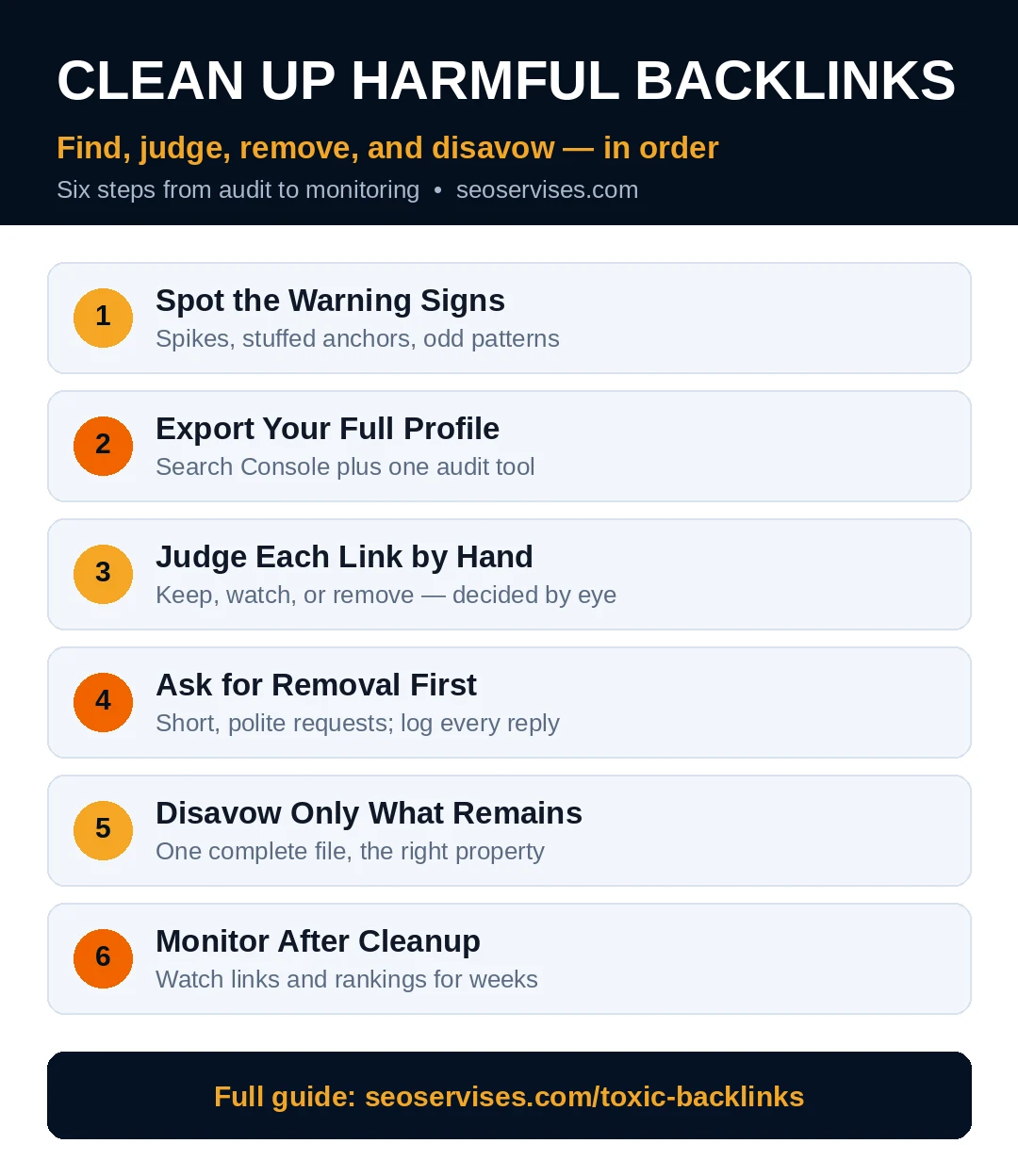
The cleanup process at a glance:
- Export every link from Search Console and one audit tool
- Check for a manual action before anything else
- Judge flagged links by hand, one domain at a time
- Ask site owners to remove the worst links
- Disavow only the links you cannot remove
- Monitor rankings and new links every month
Table 1: Warning Signs and What They Mean
Tools flag links with scores and labels. Your own eyes make the final call.
| Warning sign | What to check | Risk level |
|---|---|---|
| Links from link farms or blog networks | Does the site exist only to sell links? | High |
| Sudden spike of hundreds of new links | Did links arrive in days, not months? | High |
| Exact-match keyword anchor text everywhere | Do anchors repeat one money phrase? | High |
| Links from hacked or injected pages | Does the page look normal and safe? | High |
| Foreign language sites with no niche fit | Is there any real topic connection? | Medium |
| One odd directory or scraper link | Is it a single isolated link? | Low |
| Low authority blog in your own niche | Does the post read like real content? | Low |
What Counts as a Harmful Link?
Google does not use the word toxic at all. That label comes from SEO tool vendors. Google talks about link spam and unnatural links instead. Its spam policies page defines the patterns clearly.
Link spam means links built mainly to manipulate rankings. Paid links without proper labels count as link spam. So do link exchanges done at large scale. Comment spam and forum spam count too.
Hacked sites create another common source of junk. Attackers inject hidden links into weak websites. Those links point out to many unrelated businesses. Your site can appear in that mess innocently.
Private blog networks create a similar pattern. One owner controls many lookalike blogs. Each blog sells posts with keyword rich anchors. The footprint repeats across dozens of domains.
One strange link proves nothing by itself. Every real business picks up odd links yearly. Look for volume, patterns, and clear intent. Those three signals separate risk from noise.
Step 1: Export Your Full Link Profile
Start inside Google Search Console, which is free. Open the Links report from the left menu. Export the top linking sites list. Save it before you change anything.
Add data from one backlink audit tool next. Semrush, Ahrefs, and Moz all export similar lists. Combine both exports into one spreadsheet. Sort the domains from lowest authority upward.
Note the date of every sudden link spike. Spikes often match a past cheap link purchase. They can also match a scraper copying your site. The cause decides your response later.
Check your anchor text distribution in the same export. Healthy profiles show mostly brand and plain URL anchors. A wall of exact money keywords signals trouble. That pattern needs a closer look first.
How do I know if I have a manual action?
Open Search Console and find the Manual Actions report. It sits under the Security and Manual Actions section. A clean report says no issues detected. An unnatural links action names the problem directly. That message changes everything about your next steps. With an action, cleanup becomes urgent and documented.
Step 2: Judge Each Flagged Link by Hand
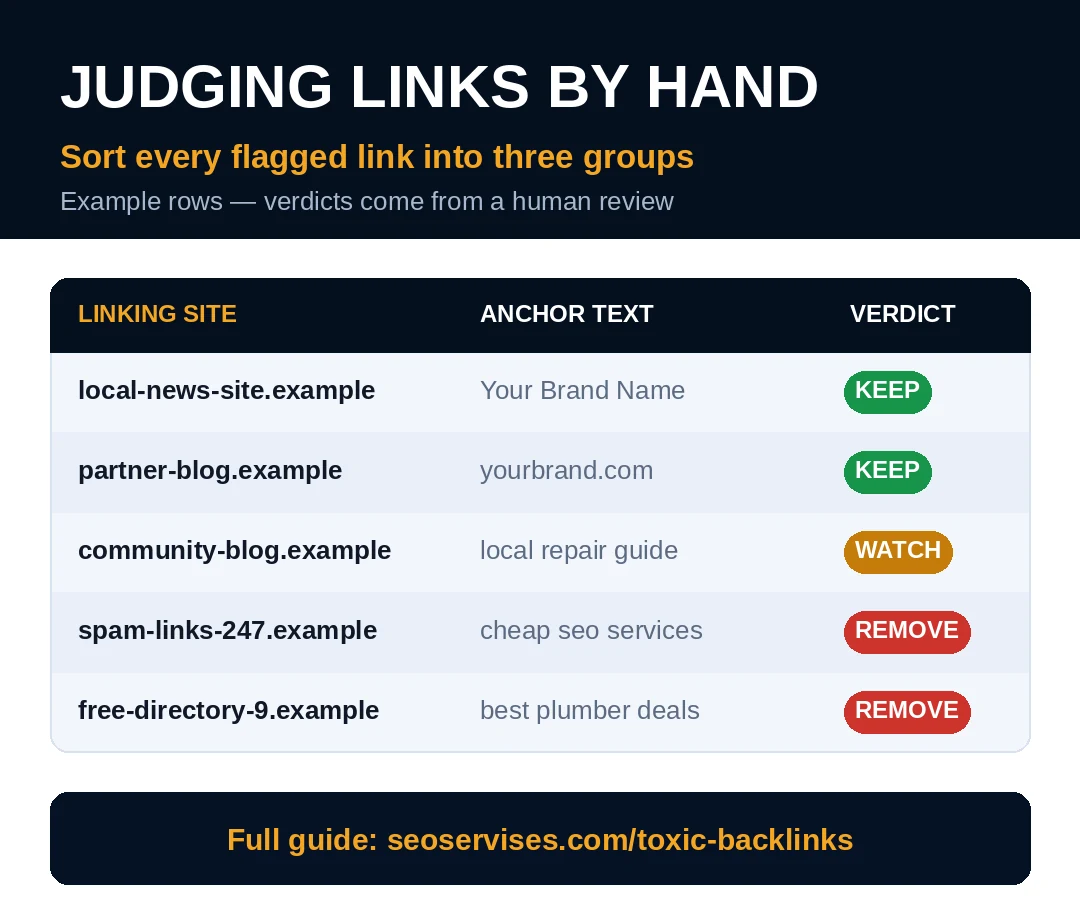
Never trust a toxicity score on its own. Scores are estimates built by tool vendors. Google never sees or uses those scores. A low score alone is not evidence.
Visit each suspect linking page yourself. Read the page like a normal visitor would. Ask whether the link helps that reader. Ask whether the page serves any real purpose.
Keep links that pass the human test. A small local blog can link legitimately. A new site can have low authority honestly. Relevance and real content beat raw metrics.
Flag links that fail several checks together. No traffic, no niche fit, and stuffed anchors. Thin spun content with dozens of outbound links. Those clusters mark genuine link schemes.
Sort your flags into three simple groups. Keep, watch, and remove are enough. The remove group should stay small and clear. Doubt means the link stays out of disavow.
Should I disavow every link a tool flags?
No, and doing so can hurt your site. Tools flag plenty of harmless links every audit. Some flagged links still send real referral traffic. Others quietly support your rankings right now. Google says most sites never need disavow. Upload only links tied to a clear scheme. Hand review always comes before any upload.
Step 3: Ask for Removal First
Google expects a real removal attempt before disavow. Find a contact email on each bad site. Hunter and similar tools help locate addresses. Keep your request short and polite.
Name the exact page that links to you. Name the page on your site it targets. Ask for removal or a nofollow label. Give the owner one clear action to take.
Track every request in your spreadsheet. Record the date, contact, and reply status. Send one follow-up after about two weeks. This log matters if a manual action exists.
Expect a low reply rate on spam sites. Many owners never answer removal emails at all. Some demand payment, which you should refuse. Paying for removal rewards the scheme itself. Document the silence and move on.
Can I remove a link from a site I do not own?
No, you cannot delete links on other websites. Only the site owner controls those pages. You can ask politely and show the exact link. If the owner refuses or never replies, disavow becomes your backup path. That request first, disavow second order matters. Google built the tool for links you tried and failed to remove yourself.
Step 4: Disavow Only What Remains
Treat the disavow tool as an advanced feature. Google warns users to use it with caution. A wrong upload can discard helpful links. There is no undo button for lost value.
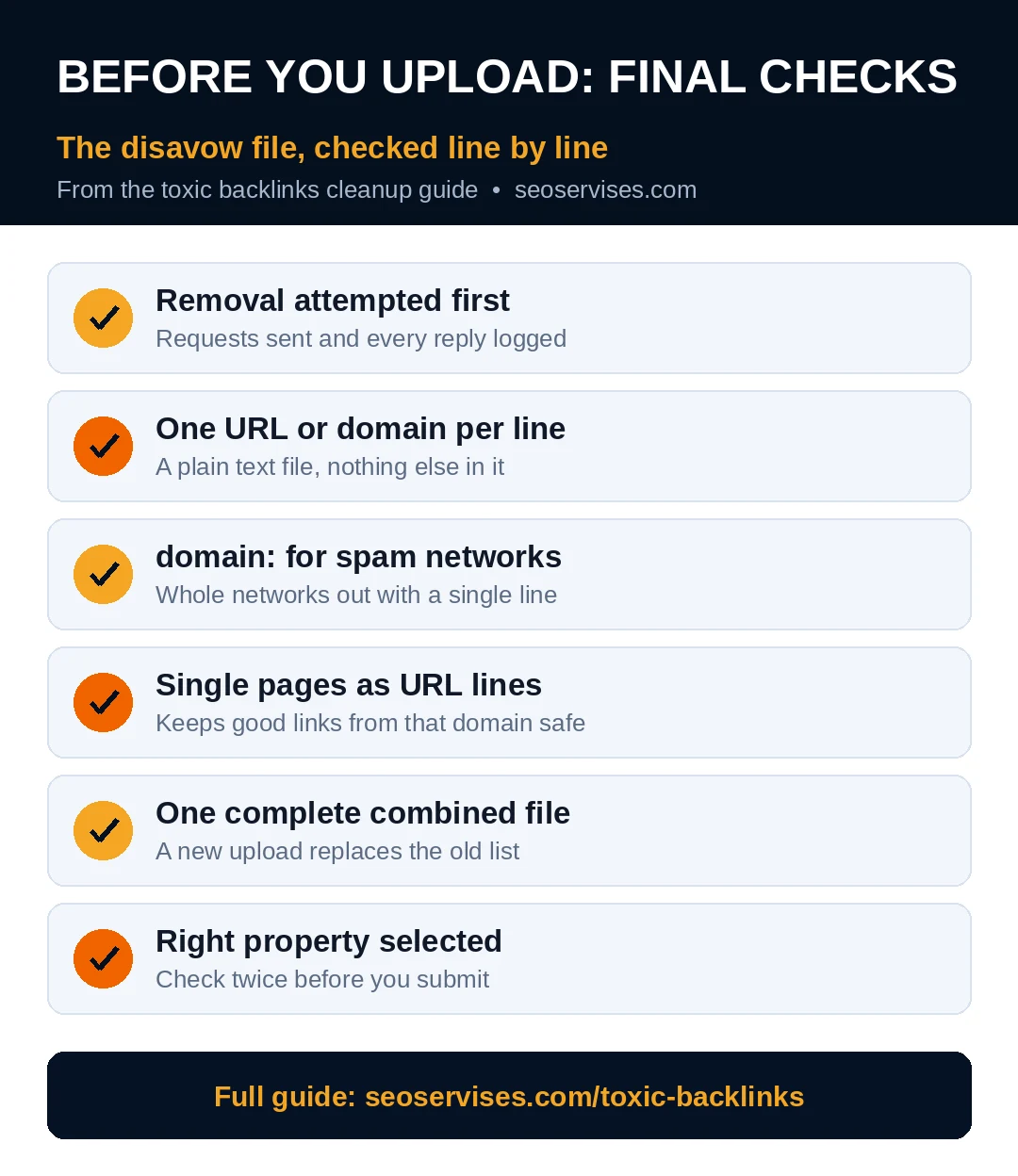
Build your file as a plain text file. List one URL or domain per line. Use the domain: prefix for whole spam domains. Add comments with a hash symbol if helpful.
Disavow at domain level for clear spam networks. Single bad pages on decent sites need URL lines. That split keeps good links from that domain safe. Precision protects the rest of your profile.
Upload the file inside Search Console carefully. Pick the right property before you submit anything. Replacing an old file erases the previous list. So always upload one complete combined file.
Google also explains how to qualify outbound links with sponsored and nofollow labels. Share that page with partners who link to you. Correct labels prevent future problems for both sides.
How long does a disavow file take to work?
Expect weeks, not days, for any effect. Google must process your uploaded file first. Then it must recrawl the listed linking pages. Only then do those links stop counting. Rankings may shift slowly after that point. A manual action also needs a reconsideration request. File that request only after cleanup is complete.
Step 5: Monitor After the Cleanup
Cleanup is not a one time event. New junk links appear on every active site. A short monthly check keeps surprises away. Fifteen minutes a month covers most small sites.
Watch the Links report in Search Console monthly. Scan new referring domains for obvious spam clusters. Check the Manual Actions report at the same time. Record anything new in your audit spreadsheet.
Keep your notes from every audit round together. Patterns become obvious when you compare rounds side by side. A domain that looked harmless once may repeat later. History turns single odd links into clear evidence. That record also helps any expert you hire later.
Rebuild your profile with safe links only. Our guide on how to build backlinks for a small business covers seven safe methods. Real editorial placements replace junk over time. One example is the approach in our guest posting guide. Slow, relevant links beat fast bulk links.
Table 2: Your Ongoing Link Audit Routine
| When | Task | Time needed |
|---|---|---|
| Monthly | Scan new referring domains in Search Console | 15 minutes |
| Monthly | Check the Manual Actions report | 5 minutes |
| Quarterly | Export and hand review flagged domains | 1 hour |
| Quarterly | Send removal requests for new bad clusters | 30 minutes |
| Yearly | Review your full disavow file for errors | 30 minutes |
Can a competitor hurt my site with spam links?
A competitor can create spam links pointing at you. That act alone rarely damages real rankings. Google systems neutralize most artificial link patterns automatically. Years of testing back that response up. Panic disavowing can cause more harm instead. Watch for a manual action or sharp unexplained drops. Act on evidence, never on fear alone.
When to Get Expert Help
Some situations justify a second pair of eyes. A confirmed manual action is the clearest one. So is a history of bought link packages. Large profiles also hide patterns beginners miss.
An expert reviews every flagged domain by hand. That review protects links that still help you. It also builds a defensible removal record. Guesswork has no place in penalty recovery.
Ready to Clean Up Your Link Profile?
You now know the safe order of work. Export, judge, remove, and disavow last. That order protects good links while clearing schemes.
Want a hand review before you upload anything? Contact us for a careful look at your link profile.
Frequently Asked Questions
Does Google ignore most bad links automatically?
Yes, Google ignores most low quality links automatically. Its systems assess which links deserve trust daily. Random spam links usually get discounted, not punished. That is why most sites need no cleanup. Action matters only for large manipulative patterns.
How often should I audit my backlink profile?
Most small sites do well with quarterly audits. A quick monthly scan catches new spam clusters early. Sites with a penalty history need monthly reviews. Competitive niches may also justify closer watching. Pick a rhythm you can actually keep.
What should I put in a disavow file?
List each bad URL on its own line. Use domain: lines for whole spam domains. Save the file as plain text format. Include only links you reviewed by hand. Never upload a raw tool export unedited.
Can disavowing links hurt my rankings?
Yes, a careless disavow file can hurt rankings. It can discard links that were helping you. Google warns the tool suits advanced users only. That risk is why hand review comes first. When in doubt, leave the link alone.
What percentage of links counts as toxic?
No official percentage exists anywhere at Google. A site can hold many weak links safely. One scheme pattern matters more than any ratio. Judge intent, volume, and anchor patterns together. Percentages from tools are rough guides only.